
Messages and announcements
Five kinds of text reach your players. Four are edited in game on the Messages page.
On this page
The Messages page
Needs Edit server information. Four sections, all saved together with Apply. Discard throws your edits away.
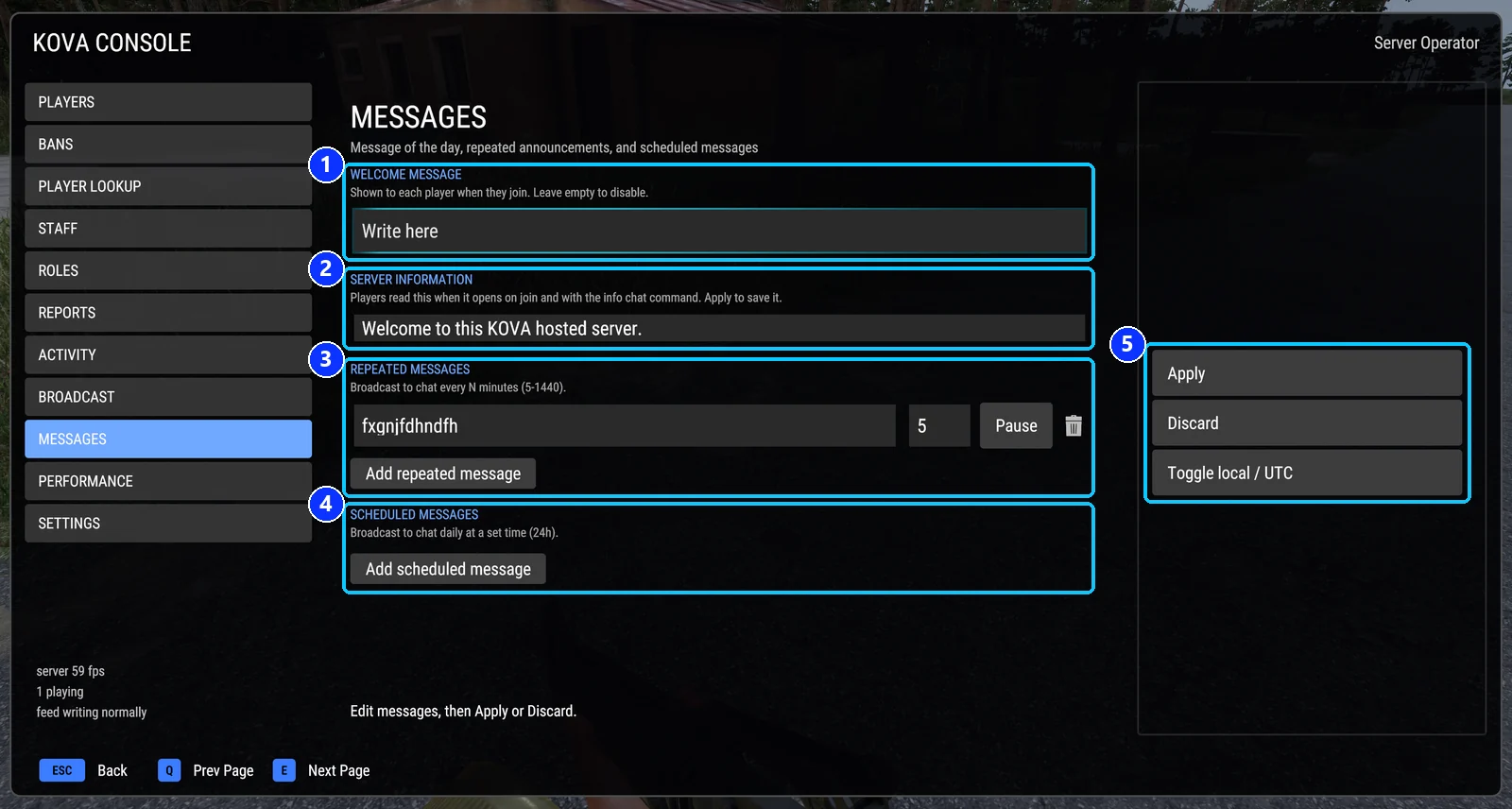
- Welcome message: one chat line when a player joins.
- Server information: the standing notice, with three options for when it opens.
- Repeated messages: every N minutes, with Pause and remove.
- Scheduled messages: at clock times, with Pause and remove.
- Apply, Discard, and the clock toggle (local or UTC).
Welcome message
One chat line sent to each player as they join, before the server information. Up to 300 characters. Empty sends nothing. It is sent once per player per server session. Stored as welcomeMessage.
Server information
The standing notice about your server. Players see it in a dialog titled SERVER INFORMATION, can open it any time with #kova info, and staff can read it from the Settings page.
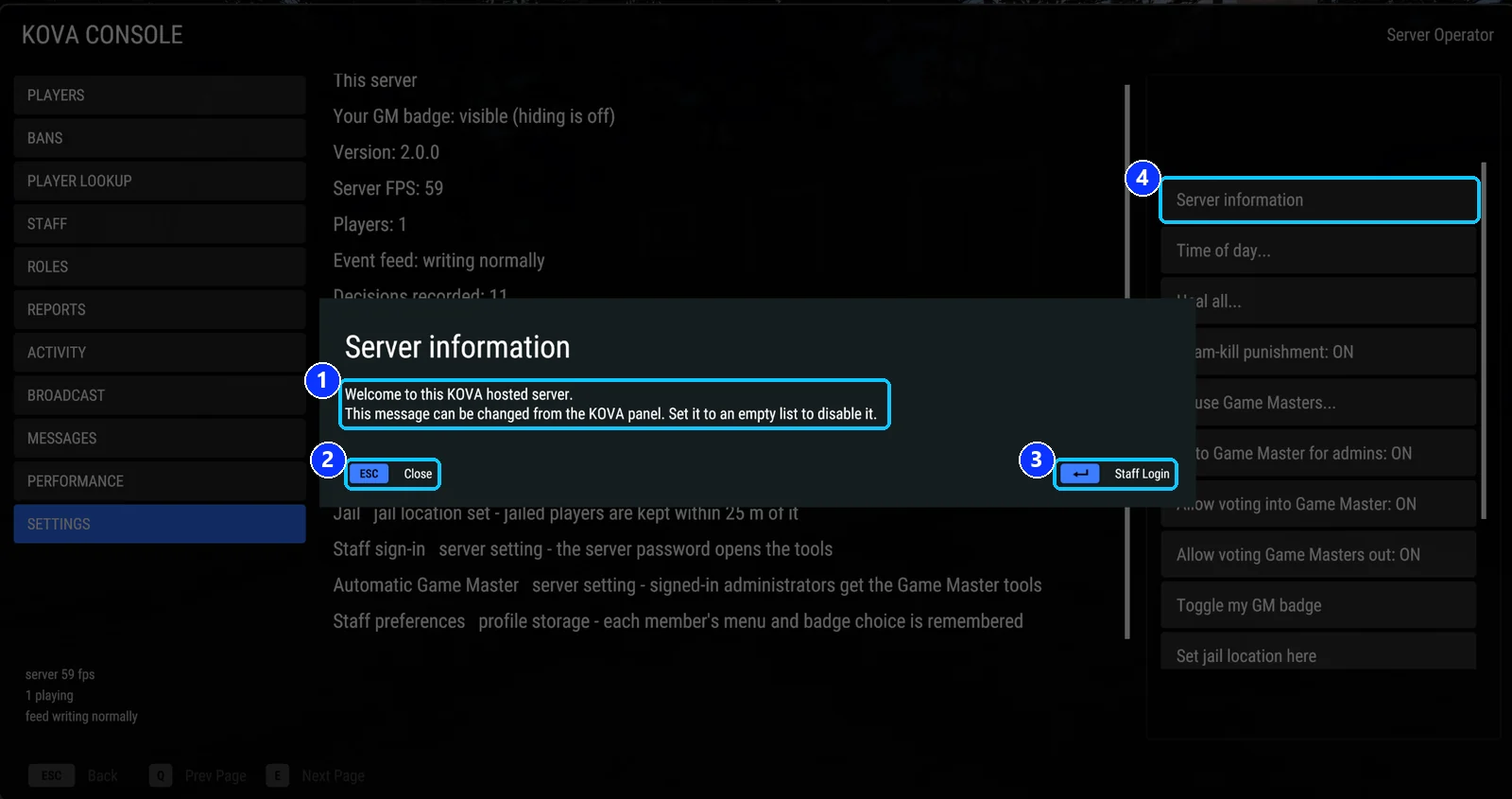
- The text, exactly as written in the settings. Line breaks are kept.
- Close.
- Staff Login, for a player who has no role yet and wants to sign in with the server password.
- The button that opens it on the Settings page.
Three options decide when it opens by itself:
| Option | Default | Meaning |
|---|---|---|
| Open the MOTD automatically | on | Show text a player has not seen yet after they join, and again when it changes. |
| Show the MOTD on every join | off | Show it on every join even if unchanged. |
| Wait until the player has spawned | on | Wait for a character, with loading finished and no other menu open. |
There is no length limit in the settings file. From in game, about 3,600 characters is the most that can be saved. Stored as serverInfoText; a change applies at once for everyone.
Repeated and scheduled announcements
A repeated announcement goes to chat every N minutes, where N is 5 to 1440. A scheduled one goes out daily at listed clock times, written HH:MM, and is also shown as a notice at the top of the screen. Up to 20 of both kinds together, each 1 to 300 characters. Pause one without deleting it.
Scheduled times are read on the server’s local clock or on UTC. Switch with the clock toggle; stored as announcementClock.
How they look in the settings file
"announcements": [
  { "text": "Join our Discord: discord.gg/example", "everyMinutes": 30, "at": [], "paused": false },
  { "text": "Server restarts at 04:00.", "everyMinutes": 0, "at": ["03:30", "03:55"], "paused": false }
],
"announcementClock": "utc"
Broadcast
The Broadcast page is for a message right now. Type it, press Send, pick Everyone, Staff or a faction. It arrives as a notice at the top of the screen and in chat. Warn All sends the text as a warning everybody has to acknowledge instead.
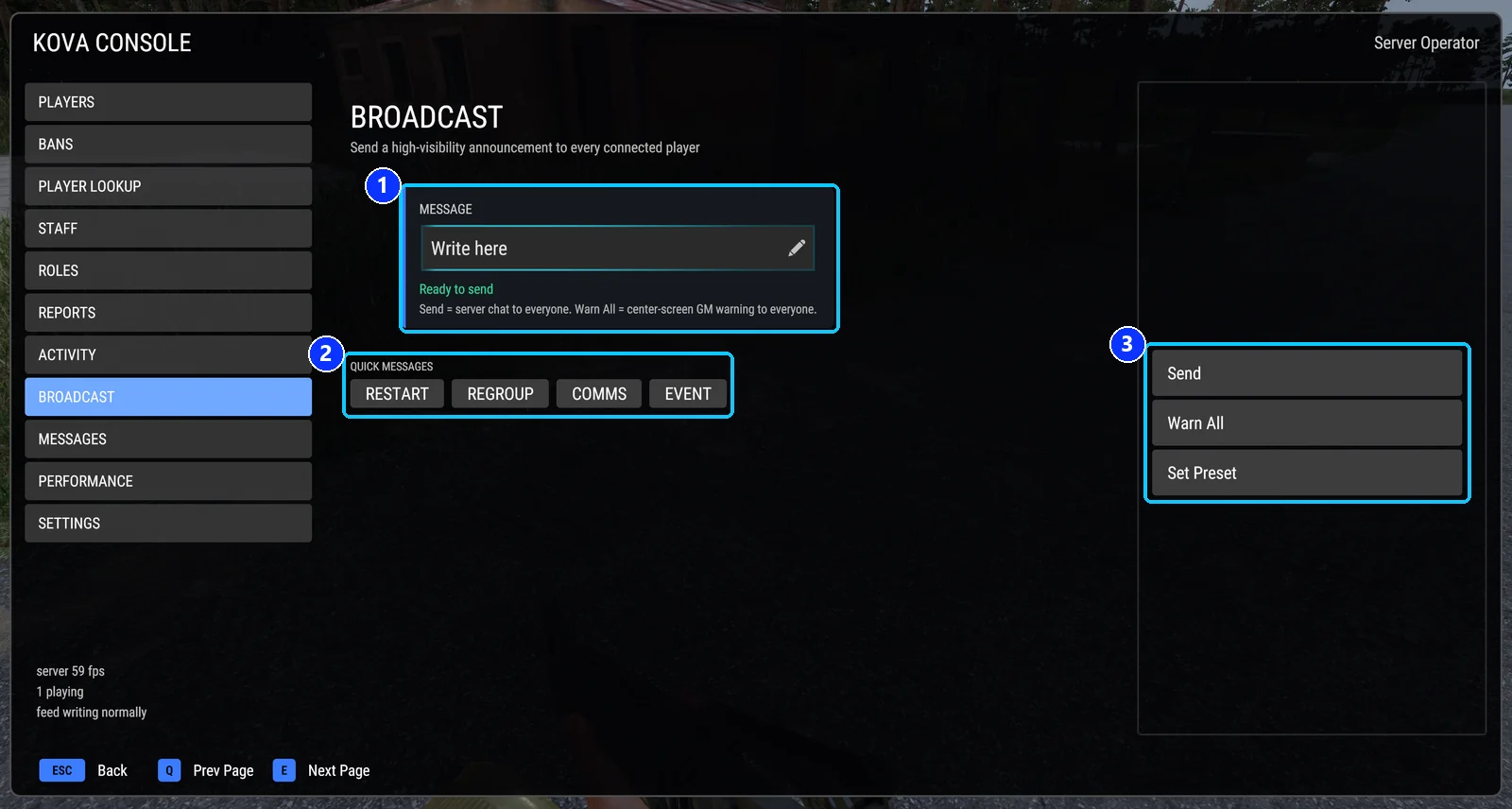
- The message. Type it here.
- Quick messages: four buttons that send a stored text at once.
- Send, Warn All, and Set Preset.
The four quick-message buttons store a text on your device: press Set Preset, then the button you want to fill. From then on, pressing that button sends the stored text.
From chat: #kova say Server restarts in 10 minutes, or #kova say staff Meet at the ammo point, or #kova say faction:US ....
broadcastDisplaySeconds and warningDisplaySeconds set how long a notice stays on screen. At 0, the default, the time comes from the length of the text.
Kick and ban appeal text
Two lines live only in the settings file. kickMessage is shown to a kicked player as a chat line and on the disconnect screen; banMessage does the same for a ban. appealUrl is added to whichever is used. Each up to 300 characters. Edit them in the settings file; on a KOVA server the panel shows them as fields.
Covers KOVA Admin Tools 1.0.58. Updated October 6, 2026.